I have been building a small robot learning pipeline around the SO-101, starting from hardware assembly and calibration and moving toward data collection, training, and inference.
This post is the first part of that process. It focuses on getting the hardware working reliably for teleoperation, bringing up the camera stack, and collecting an initial dataset. Part II uses those recordings to post-train a VLA; Part III will close the loop with deployment and control.
Hardware Build
The hardware setup uses two pairs of leader and follower SO-101 arms. I printed the main SO-101 parts on a Bambu P1S using the updated MakerWorld SO-101 model, and used the 32x32 UVC wrist camera mount for the gripper camera setup. After printing, I assembled the arms, inserted the servos into the printed structure, and connected the electronics, cameras, and control stack.
The software side follows the LeRobot workflow and is aimed at a full robot learning loop: teleoperation, synchronized multi-view recording, dataset construction, training, and later policy inference.
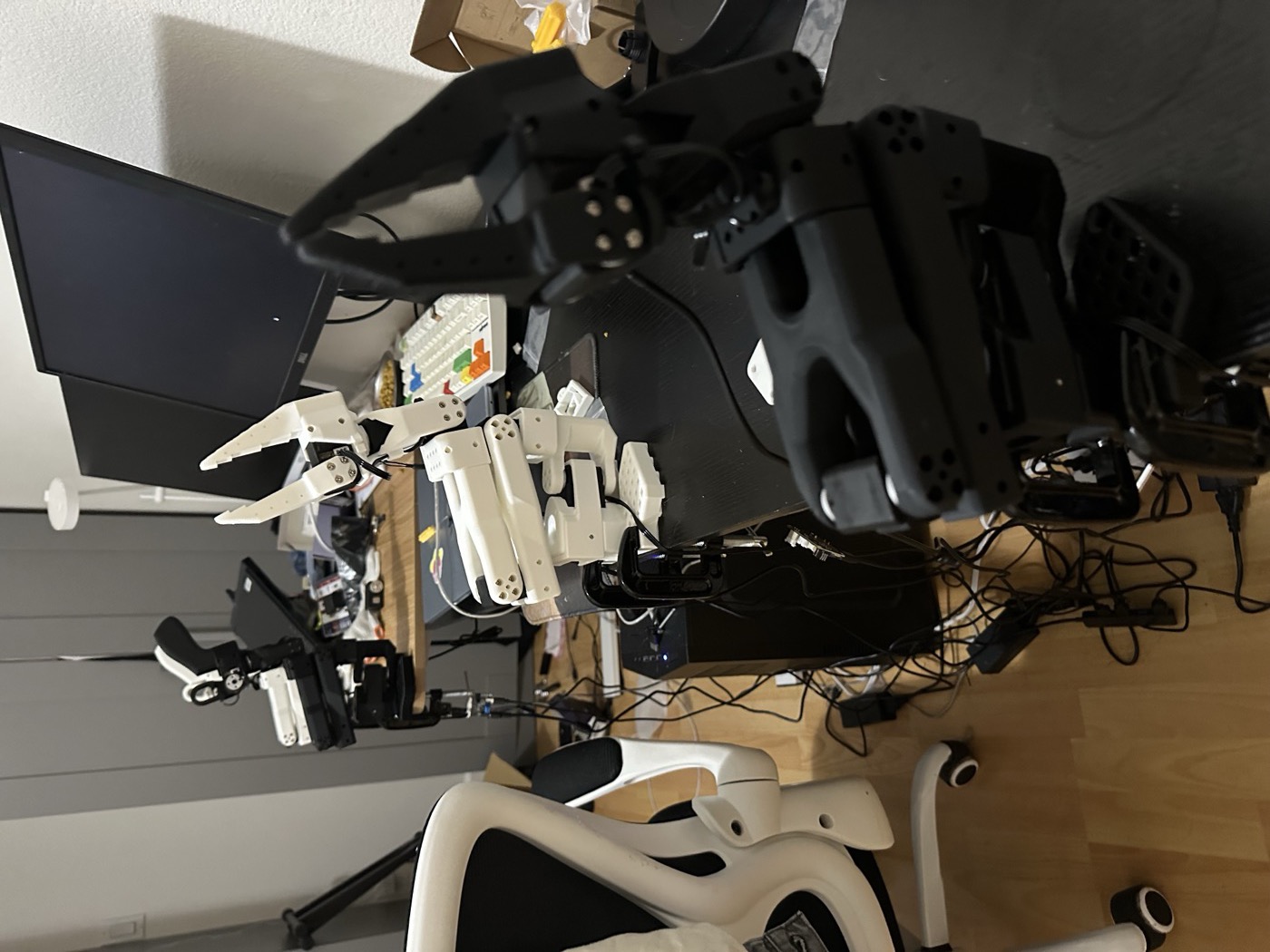
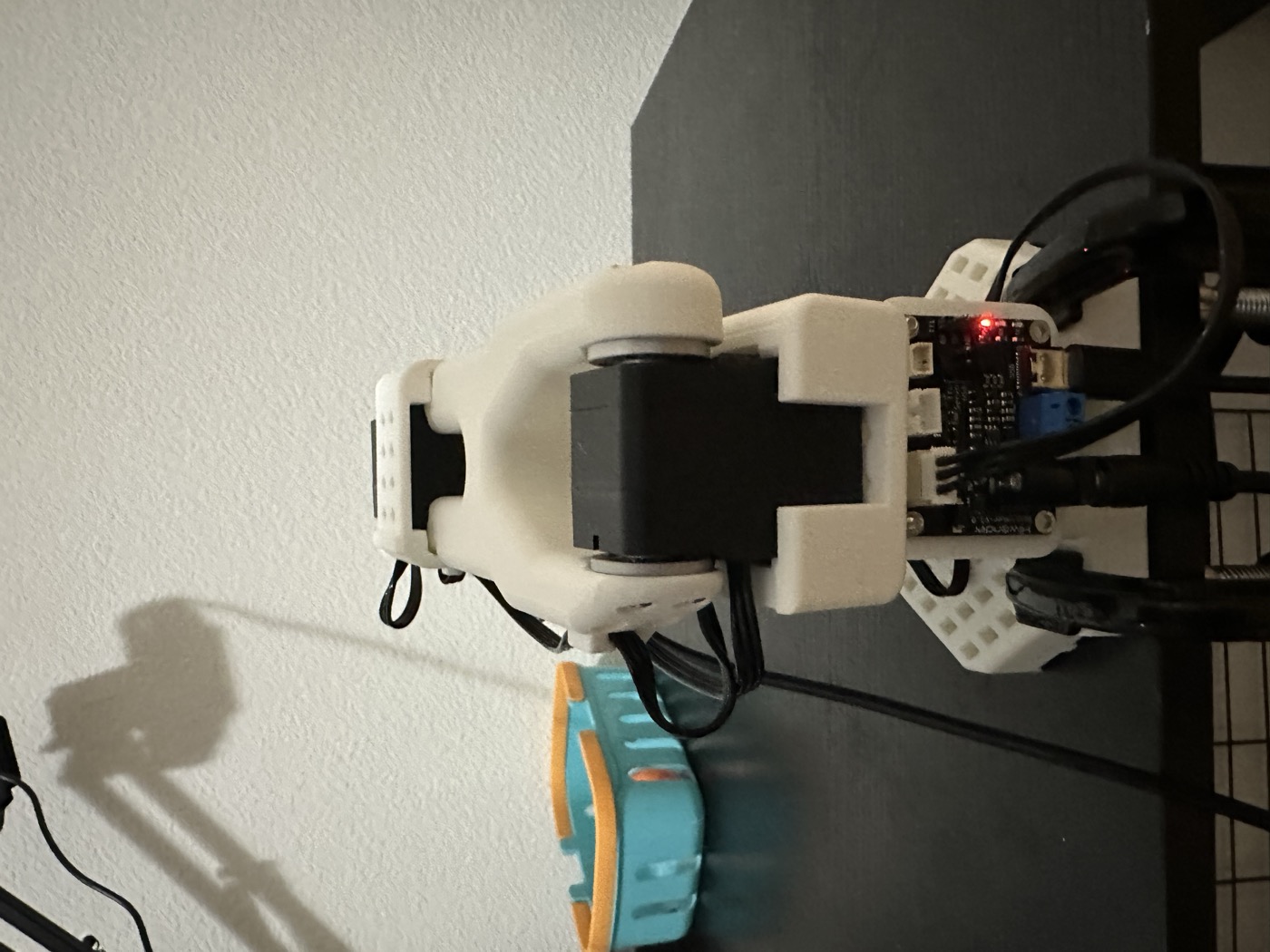
The mechanical build was straightforward overall, but a few steps were more physical than expected. Some printed parts required substantial force to seat the servos fully, and a screwdriver was helpful when reconnecting wires after the arm was fully assembled. Careful cable routing also mattered more than I initially expected, especially once multiple servos and two full arm pairs were connected at the same time.
Once the parts were assembled, I assigned motor IDs after installation, following the order from 6 down to 1. Doing this methodically made later calibration and debugging much easier. I also ran into two motors that behaved unexpectedly during bring-up, so isolating and reassigning their IDs was useful for getting the system back into a stable state.
The first commands I used at this stage were:
Show setup commands
lerobot-find-port
sudo chmod 666 /dev/ttyACM*
lerobot-setup-motors \
  --teleop.type=so101_leader \
  --teleop.port=/dev/ttyACM1
Calibration
I first calibrated one leader arm and one follower arm and verified that single-pair teleoperation worked correctly. After that, I installed the second pair and repeated the process for dual-arm teleoperation.
Each SO-101 motor is a rotary servo, but the raw encoder value is not yet a meaningful joint coordinate. I calibrated the leader and follower separately because corresponding motors can differ in zero offset, direction, and usable range. Conceptually, the two calibration mappings convert raw readings \(s_L\) and \(s_F\) into aligned joint states:
\[ q_L=C_L(s_L), \qquad q_F=C_F(s_F). \]During teleoperation, the calibrated leader state is mapped to a follower target \(q_F^{*}\). When joint order, direction, and range are aligned, this mapping is effectively one-to-one. This relationship also defines the joint-space imitation data: the follower’s measured state \(q_F\) is part of the observation, while the leader-derived target \(q_F^{*}\) is recorded as the action.
The main issue I ran into was calibration inconsistency. In some cases, the servo state at the middle position would incorrectly appear as a minimum or maximum value. When that happened, the calibrated range drifted away from the real physical range, and the follower arm could move only within a reduced range, for example with the gripper no longer closing fully. In practice, the most useful fixes were unplugging and reconnecting power before recalibrating, checking whether another cable or servo connection was interfering with the reading, and verifying the affected joint carefully, especially around servo6.
Once the calibration state was clean, both the single-arm and dual-arm teleoperation setup behaved much more reliably.
The photo below shows one of the calibration checks I used, with the servos aligned around their middle positions before validating the joint ranges.
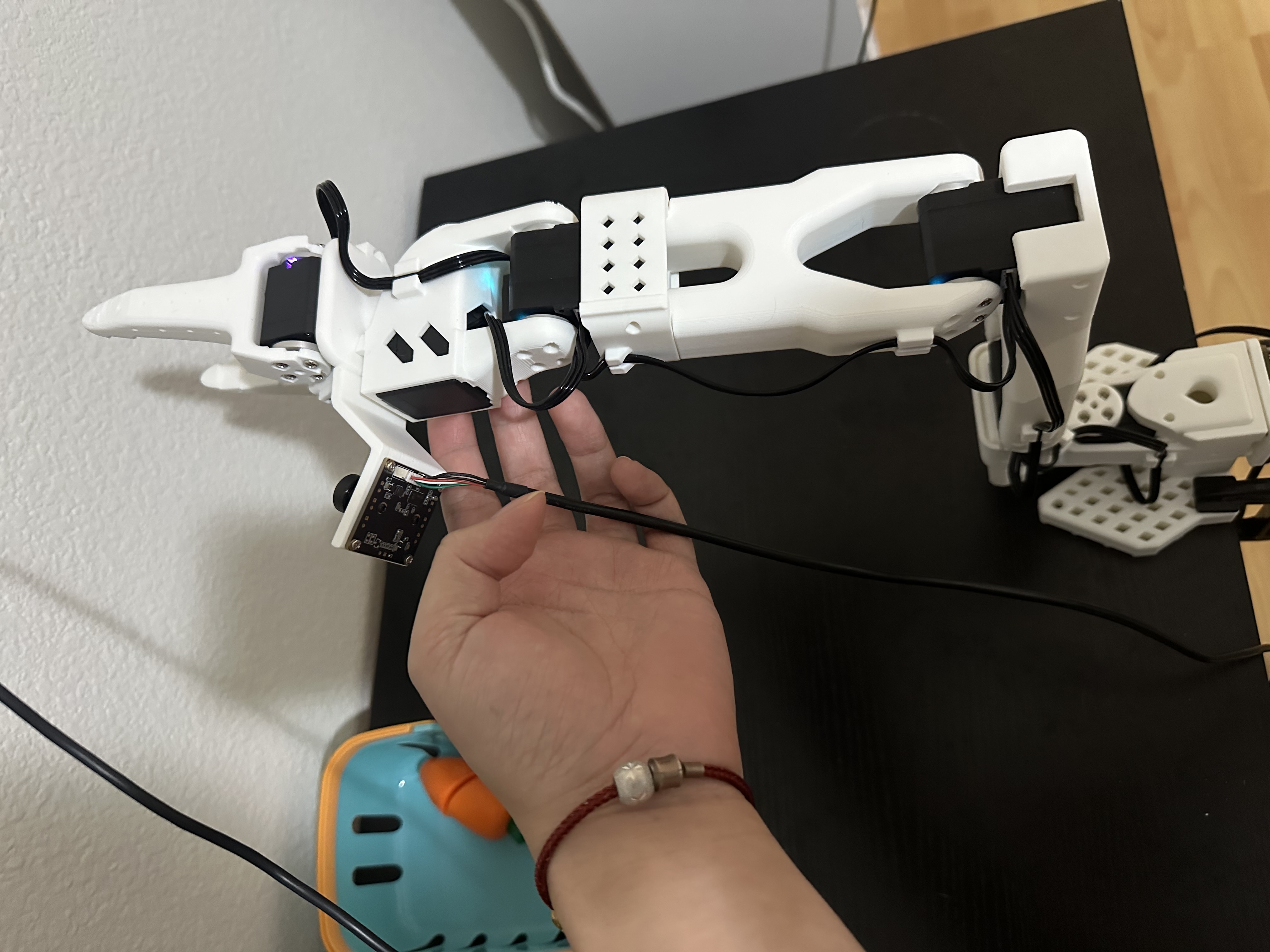
The main calibration commands were:
Show calibration commands
lerobot-calibrate --teleop.type=so101_leader --teleop.port=/dev/ttyACM0 --teleop.id=xi_awesome_bimanual_leader_left
lerobot-calibrate --teleop.type=so101_leader --teleop.port=/dev/ttyACM1 --teleop.id=xi_awesome_bimanual_leader_right
lerobot-calibrate --robot.type=so101_follower --robot.port=/dev/ttyACM2 --robot.id=xi_awesome_bimanual_follower_left
lerobot-calibrate --robot.type=so101_follower --robot.port=/dev/ttyACM3 --robot.id=xi_awesome_bimanual_follower_right
Teleoperation
The short teleoperation clip below shows the main goal of this stage: making the follower track the leader reliably enough to support later recording and training.
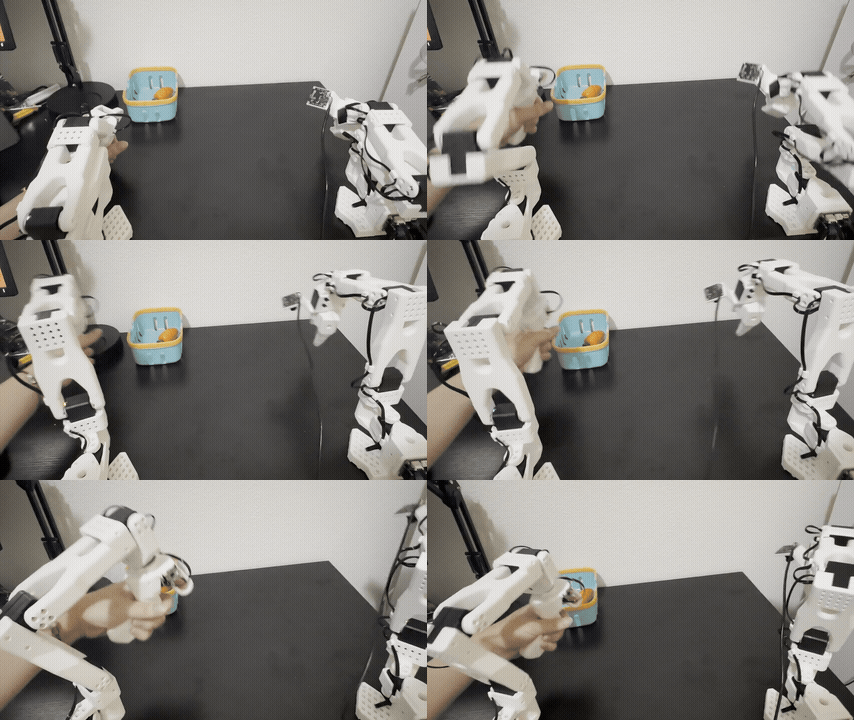
To support teleoperation and recording, I installed one camera for the left arm, one camera for the right arm, and one third-view camera for the overall scene.
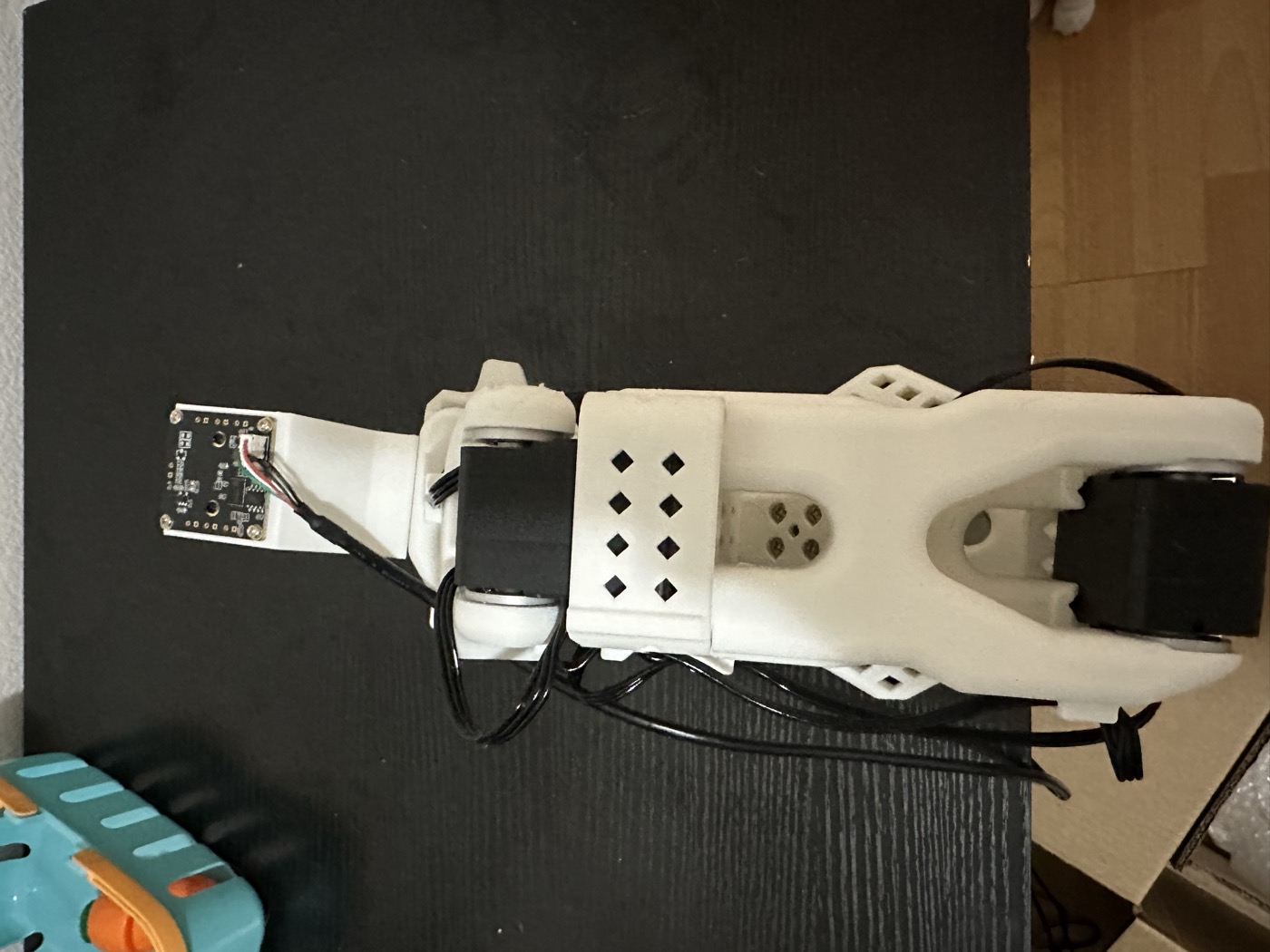
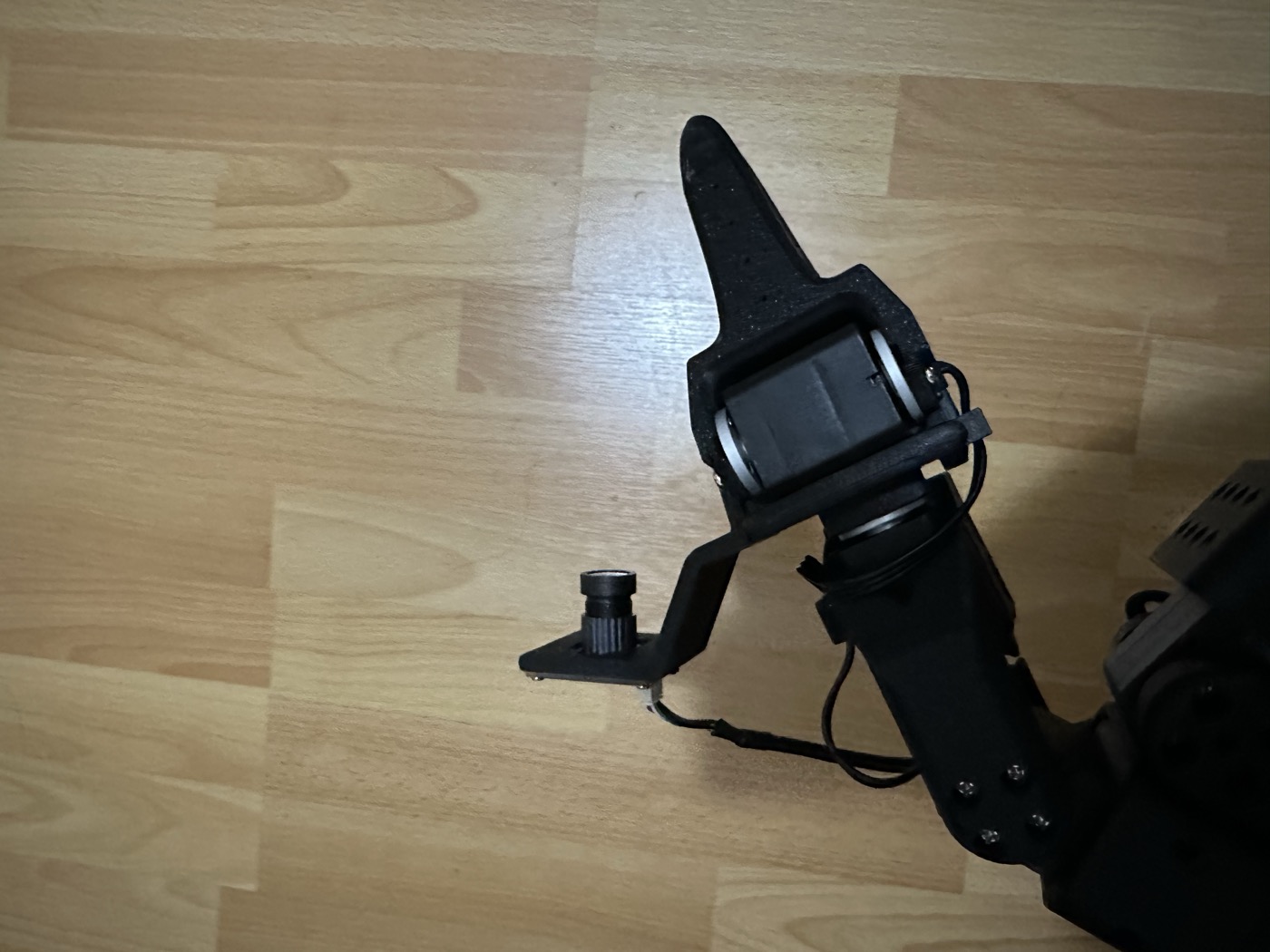
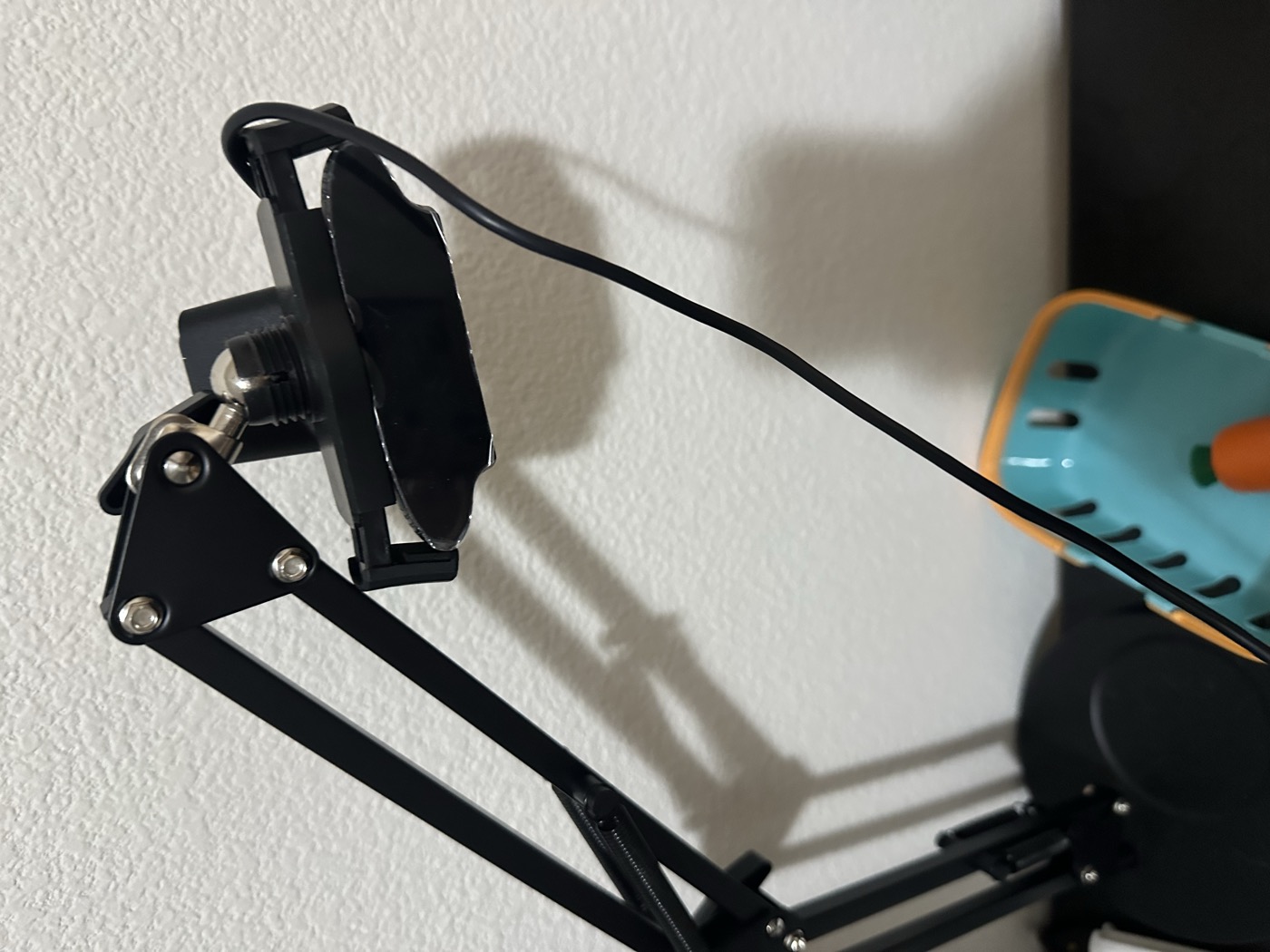
Teleoperation itself worked before the vision stack was fully stable, but initially the images did not render correctly. The issue turned out to be on the graphics side rather than in the teleoperation logic. After installing the required graphics driver and rerunning the pipeline, the visualization started working as expected.
I first brought up teleoperation in a single-arm configuration, then moved to the two-arm setup once the camera streams and calibration were stable. The exact /dev/ttyACM* and /dev/video* assignments changed across runs, so the commands below are representative snippets rather than fixed device mappings.
Show single-arm teleoperation command
lerobot-teleoperate \
  --robot.type=so101_follower \
  --robot.port=/dev/ttyACM1 \
  --robot.id=xi_awesome_bimanual_follower_left \
  --robot.cameras='{
    "left_wrist": {
      "type": "opencv",
      "index_or_path": "/dev/video0",
      "width": 640,
      "height": 480,
      "fps": 30,
      "fourcc": "MJPG",
      "rotation": 0
    },
    "third_view": {
      "type": "opencv",
      "index_or_path": "/dev/video4",
      "width": 640,
      "height": 480,
      "fps": 30,
      "fourcc": "MJPG",
      "rotation": 0
    }
  }' \
  --teleop.type=so101_leader \
  --teleop.port=/dev/ttyACM0 \
  --teleop.id=xi_awesome_bimanual_leader_left \
  --display_data=true
Show two-arm teleoperation command
lerobot-teleoperate \
  --robot.type=bi_so_follower \
  --robot.left_arm_config.port=/dev/ttyACM2 \
  --robot.right_arm_config.port=/dev/ttyACM3 \
  --robot.id=xi_awesome_bimanual_follower \
  --robot.left_arm_config.cameras='{
    "left_wrist": {
      "type": "opencv",
      "index_or_path": "/dev/video0",
      "width": 640,
      "height": 480,
      "fps": 30,
      "fourcc": "MJPG",
      "rotation": 0
    }
  }' \
  --robot.right_arm_config.cameras='{
    "right_wrist": {
      "type": "opencv",
      "index_or_path": "/dev/video2",
      "width": 640,
      "height": 480,
      "fps": 30,
      "fourcc": "MJPG",
      "rotation": 0
    }
  }' \
  --robot.cameras='{
    "third_view": {
      "type": "opencv",
      "index_or_path": "/dev/video4",
      "width": 640,
      "height": 480,
      "fps": 30,
      "fourcc": "MJPG",
      "rotation": 0
    }
  }' \
  --teleop.type=bi_so_leader \
  --teleop.left_arm_config.port=/dev/ttyACM0 \
  --teleop.right_arm_config.port=/dev/ttyACM1 \
  --teleop.id=xi_awesome_bimanual_leader \
  --display_data=true
One practical issue I ran into during teleoperation was that a motor would occasionally fail to respond after startup. In my case, the quickest fix was to unplug the power, manually move the servo slightly, and then reconnect power before relaunching teleoperation.
For inspection and debugging, I used the rerun interface to monitor teleoperation streams, observations, and action traces.
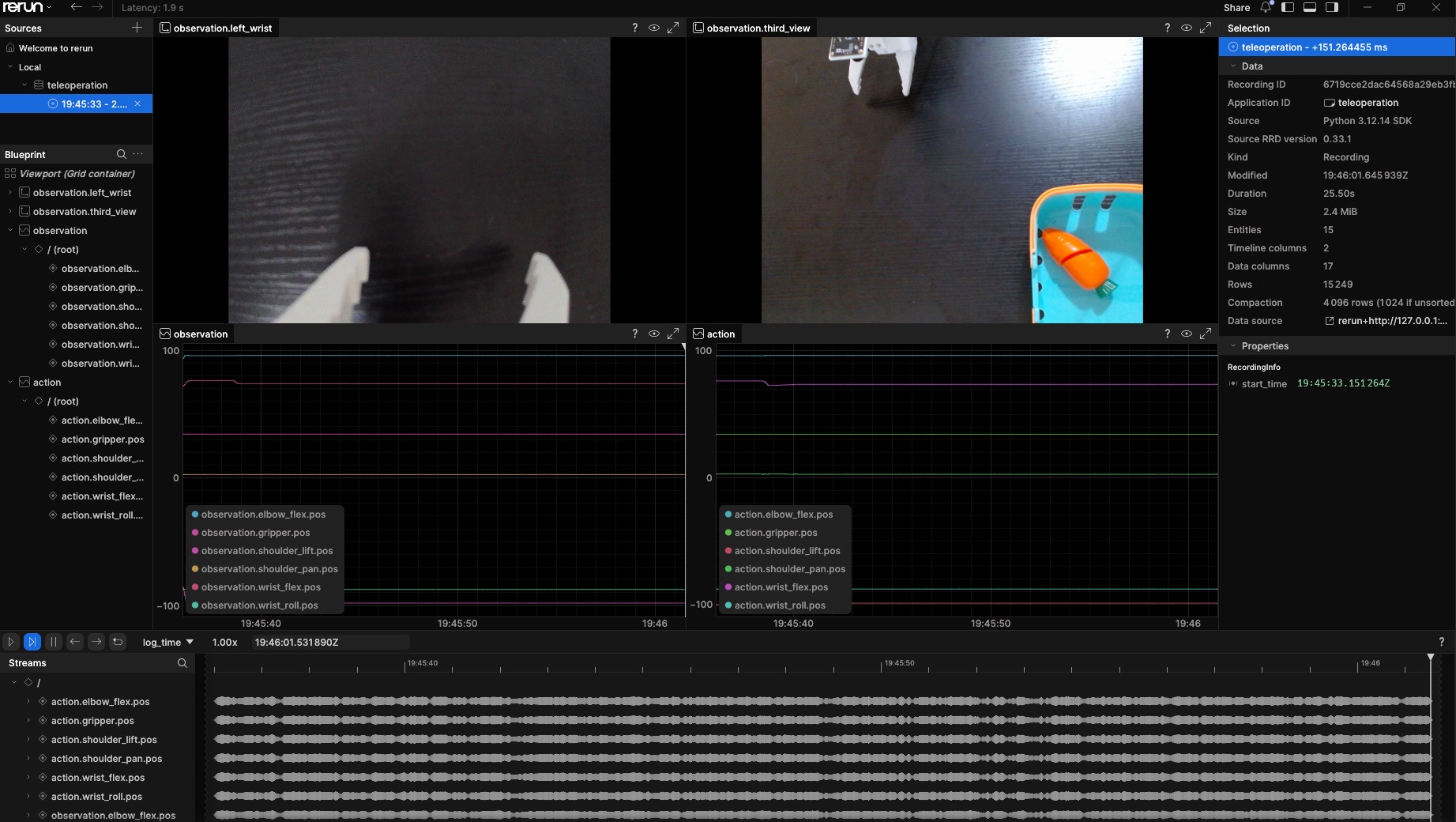
This part of the setup was a useful reminder that robot learning pipelines are often bottlenecked by system integration details rather than the model itself.
Data Collection
With the hardware and cameras in place, I moved on to a first round of data collection built around a simple task: picking up a carrot prop and placing it into a box.
The resulting dataset is Franc1sF/carrot-52, which contains 52 episodes of this carrot-to-box task. At this stage, the goal was not task difficulty itself, but validating the full recording loop: teleoperation, multi-view recording, reproducible episode capture, and a dataset format that could later support training and evaluation.
I started with the main recording workflow:
Show recording command
lerobot-record \
  --robot.type=so101_follower \
  --robot.port=/dev/ttyACM1 \
  --robot.id=xi_awesome_bimanual_follower_left \
  --robot.cameras='{
    "left_wrist": {
      "type": "opencv",
      "index_or_path": "/dev/video0",
      "width": 640,
      "height": 480,
      "fps": 30,
      "fourcc": "MJPG",
      "rotation": 0
    },
    "third_view": {
      "type": "opencv",
      "index_or_path": "/dev/video4",
      "width": 640,
      "height": 480,
      "fps": 30,
      "fourcc": "MJPG",
      "rotation": 0
    }
  }' \
  --teleop.type=so101_leader \
  --teleop.port=/dev/ttyACM0 \
  --teleop.id=xi_awesome_bimanual_leader_left \
  --display_data=true \
  --dataset.repo_id="${HF_USER}/record-test" \
  --dataset.num_episodes=50 \
  --dataset.single_task="Grab carrot and place in the box" \
  --dataset.push_to_hub=true \
  --dataset.episode_time_s=30 \
  --dataset.reset_time_s=30
During recording, I mostly relied on three simple keyboard controls: the left arrow key canceled the current episode, the right arrow key saved it early, and Esc exited the recording loop once I had collected enough data or wanted to pause and continue later.
For continuing a partial recording session locally, I used:
Show resume-recording command
lerobot-record \
  --robot.type=so101_follower \
  --robot.port=/dev/ttyACM1 \
  --robot.id=xi_awesome_bimanual_follower_left \
  --robot.cameras='{
    "left_wrist": {
      "type": "opencv",
      "index_or_path": "/dev/video0",
      "width": 640,
      "height": 480,
      "fps": 30,
      "fourcc": "MJPG",
      "rotation": 0
    },
    "third_view": {
      "type": "opencv",
      "index_or_path": "/dev/video4",
      "width": 640,
      "height": 480,
      "fps": 30,
      "fourcc": "MJPG",
      "rotation": 0
    }
  }' \
  --teleop.type=so101_leader \
  --teleop.port=/dev/ttyACM0 \
  --teleop.id=xi_awesome_bimanual_leader_left \
  --dataset.repo_id="$DATASET_ID" \
  --dataset.root="$DATASET_ROOT" \
  --dataset.num_episodes=39 \
  --dataset.single_task="Grab carrot and place in the box" \
  --dataset.episode_time_s=30 \
  --dataset.reset_time_s=30 \
  --dataset.push_to_hub=false \
  --display_data=false \
  --resume=true
Below is one example episode shown through the third-view and left-wrist streams, which I used to quickly inspect whether the captured data looked usable.
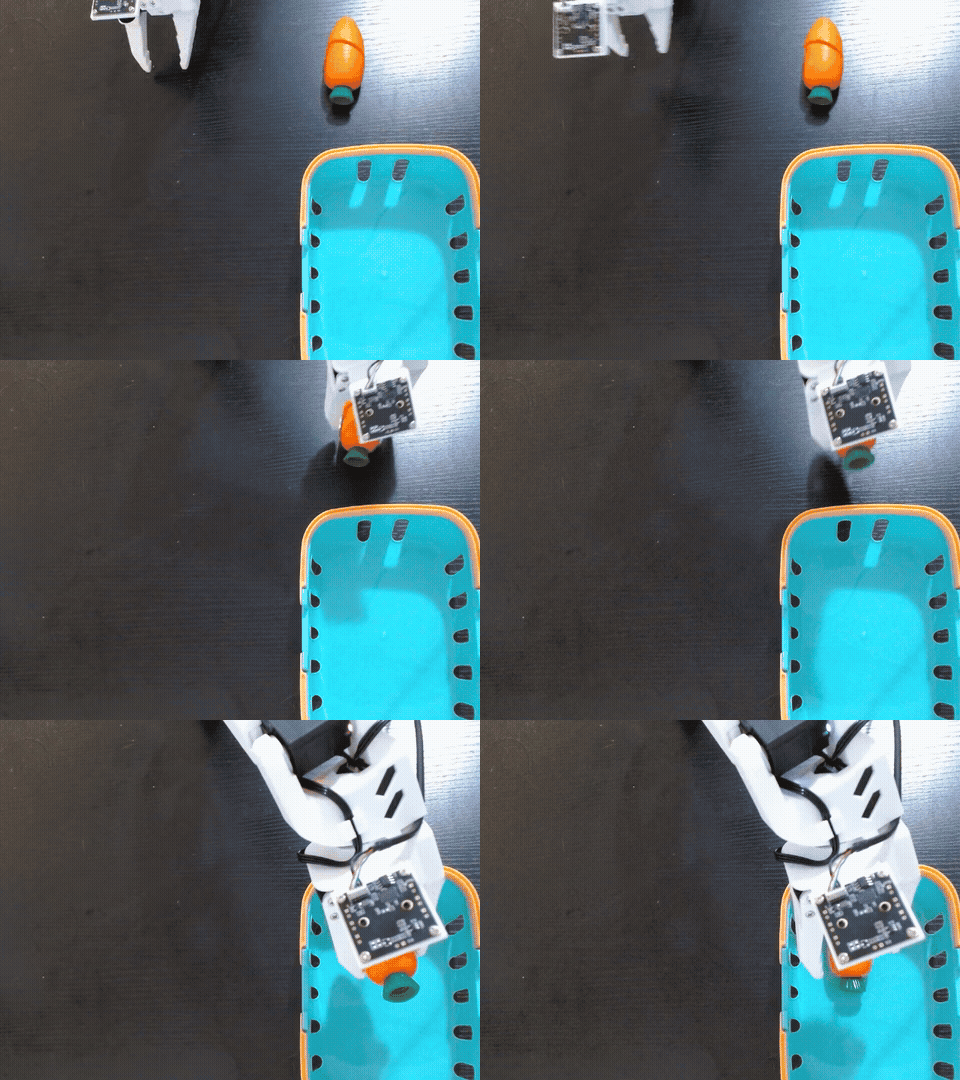
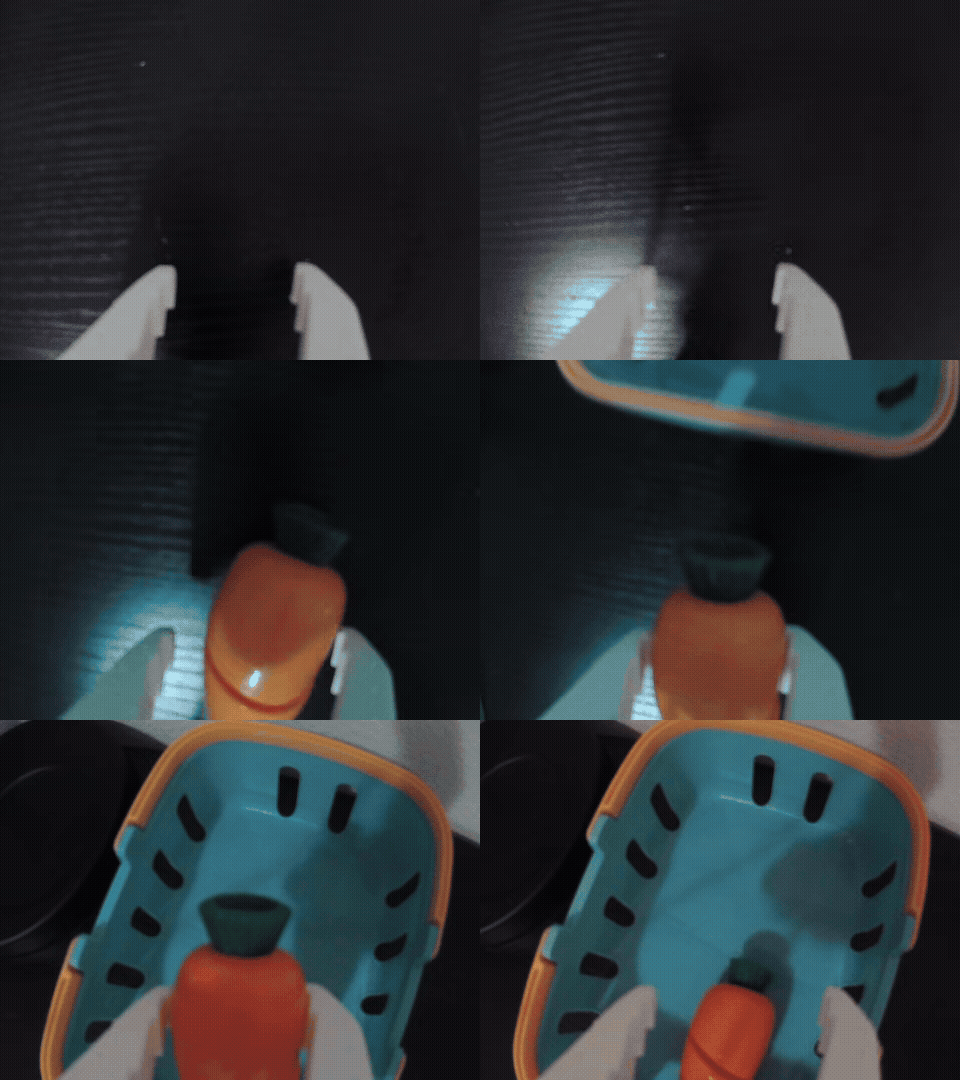
After a quick review pass, I uploaded the dataset to Hugging Face by converting the recorded episodes into parquet files in the LeRobot v3.0 format. The full dataset, including additional views and clips, is available on Hugging Face.
For replay and spot checking, I used:
Show replay command
lerobot-replay \
  --robot.type=so101_follower \
  --robot.port=/dev/ttyACM1 \
  --robot.id=xi_awesome_bimanual_follower_left \
  --dataset.repo_id=Franc1sF/record-test_20260902_135156 \
  --dataset.root=/home/f/.cache/huggingface/lerobot/Franc1sF/record-test_20260902_135156 \
  --dataset.episode=0
I then repeated the same collection and inspection workflow with a second task: covering a cylinder with a blue cap. The resulting Franc1sF/blue-cap-cylinder-50 dataset contains these demonstrations. Compared with the carrot-to-box task, this setup requires more precise alignment between the cap and the cylinder before placement. The example below shows the recorded camera and joint traces alongside a replay of one collected episode.
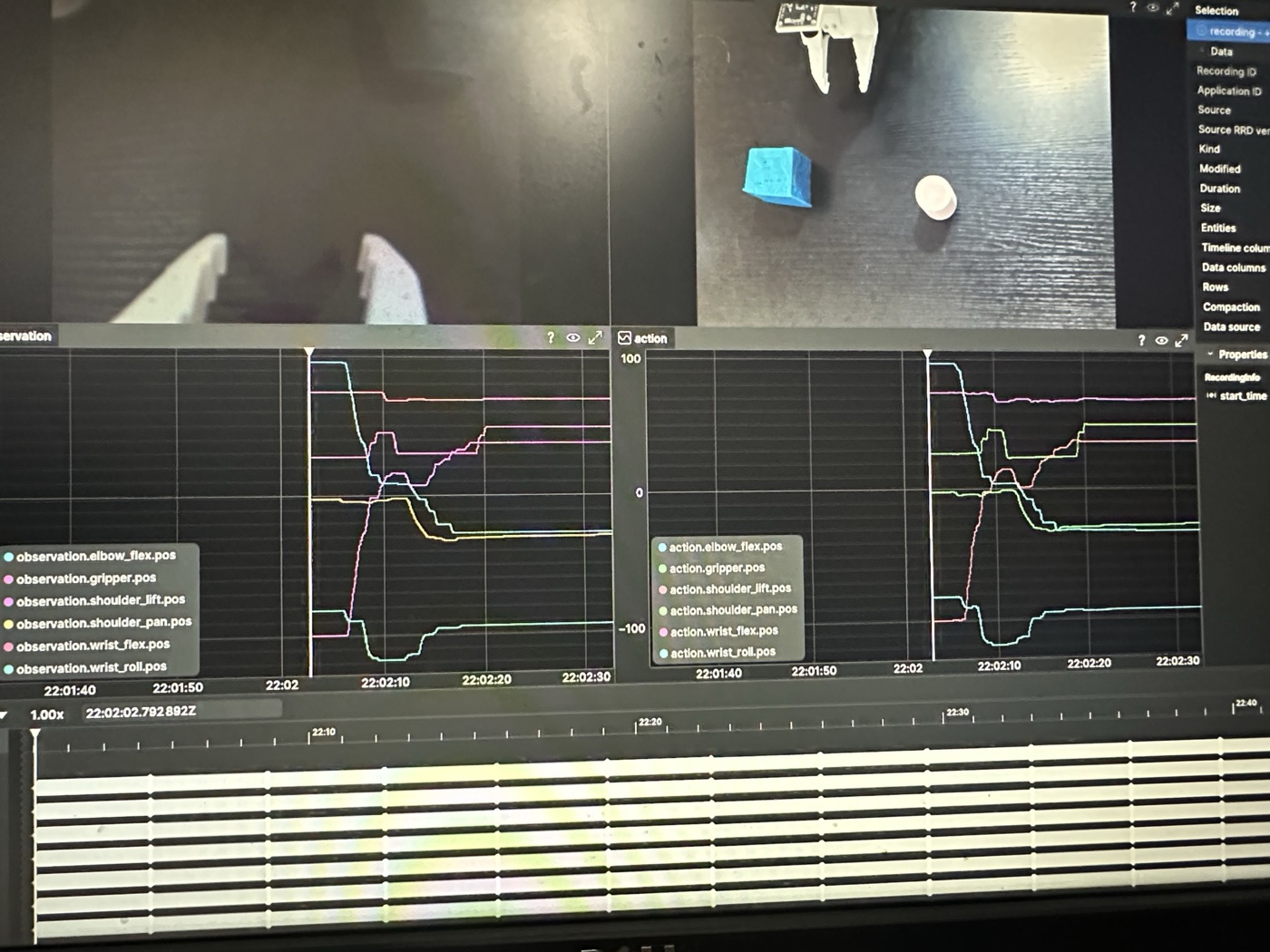
The two replay clips below provide a direct comparison between the collected carrot-to-box and cylinder-covering episodes.
What I Learned
The main lesson from this first build cycle was that reliability matters before scale. Before thinking about policy quality, model size, or sim-to-real transfer, the hardware and data pipeline need to behave consistently. A small calibration error, unstable camera setup, or recording bug can easily dominate everything downstream. That was exactly the point of starting with a simple carrot-to-box task: it was easy enough to execute repeatedly, but still sufficient to reveal whether teleoperation, sensing, recording, and replay were actually working together as a system.
The next stage is Part II: VLA post-training, which converts the carrot-to-box recordings into a GR00T N1.7 fine-tuning input. Part III will then connect the trained policy to deployment and closed-loop control.
Comments